How to Program Your Garage Door Remote: A Complete Guide by Jim Garage Door Repair
Introduction
Programming your garage door remote is an essential skill that every homeowner should master. Whether you’ve just purchased a new remote or you’ve lost your old one, knowing how to program it can save you time and frustration. At Jim Garage Door Repair, we understand that many Dover, NH residents face challenges with their garage doors. In this comprehensive guide, we will walk you through the steps to program your garage door remote effectively.
Why It’s Important to Program Your Garage Door Remote
Garage door remotes offer convenience at your fingertips, but they also serve as a security feature for your home. Here are a few reasons why understanding how to program your garage door remote is crucial:
- Enhanced Security: Regularly changing the access codes helps protect your home from unauthorized access.
- Convenience: No more fumbling for keys or manually opening the garage door—just click and go!
- Increased Control: You can easily add or remove remotes for family members or guests.
What You’ll Need to Program Your Garage Door Remote
Before diving into the programming steps, gather the following tools and materials:
- Your garage door remote
- The owner’s manual for your garage door opener (if available)
- Access to your garage door opener unit
Step-by-Step Guide to Programming Your Garage Door Remote
Follow these simple steps to program your garage door remote:
Step 1: Locate the Learn Button
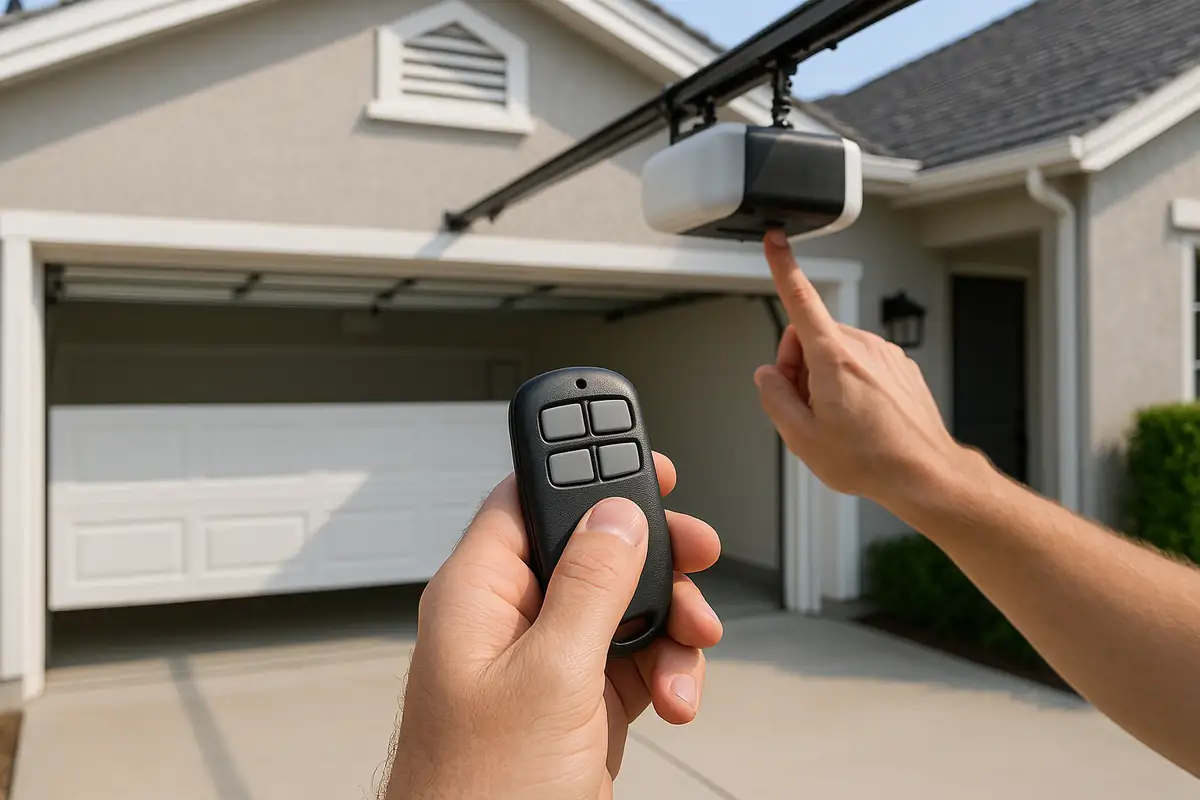
Most garage door openers have a “Learn” button. This is usually found on the back or side of the motor unit. You may need a step stool to reach it. The button is often colored yellow, red, or orange.
Step 2: Clear Existing Codes (if necessary)
If someone else had access to your garage door remote before, it’s a good idea to clear the old codes. Here's how:
- Press and hold the “Learn” button until the indicator light turns off (approximately 6 seconds).
- Release the button. This will erase all existing remote codes.
Step 3: Program Your New Remote
Once the old codes are cleared, it’s time to add your new remote:
- Press the “Learn” button on the garage door opener once. The indicator light will blink.
- Within 30 seconds, press and hold the button on your remote that you wish to program. You should hear a click, and the light will stop blinking and remain steady.
Step 4: Test Your Remote
After programming, it’s essential to test your remote:
- Stand at least 5-10 feet away from the garage door.
- Press the button on the remote. The garage door should open or close.
If it doesn’t work, repeat the above steps to ensure proper programming.
Common Issues and Troubleshooting Tips
Even with precise instructions, you may face issues while programming your garage door remote. Here are some common problems and solutions:
- Remote Not Responding: Make sure you are within the correct range. Also, check if the battery in the remote needs replacing.
- Garage Door Stuck: Inspect for obstructions or examine the track for issues.
- Remote Code Not Saving: Repeat the programming steps, ensuring you're pressing the Learn button correctly.
When to Call a Professional
Sometimes, programming issues can stem from deeper problems within the garage door system. Here are a few reasons to call Jim Garage Door Repair in Dover, NH:
- If the garage door opener is malfunctioning
- If you suspect wiring issues
- If multiple remotes are not functioning properly
Statistics and Facts about Garage Doors
Understanding the importance of your garage door system can reinforce your need for proper maintenance and programming:
- According to the International Door Association, 70% of homeowners use their garage doors as the primary entrance to their homes.
- Over 20% of garage door openers installed are more than 15 years old, which may lack modern security features.
Conclusion
Programming your garage door remote is not just a simple task; it is a vital part of maintaining your home’s security and convenience. By following the steps outlined in this guide, you can ensure that your remote functions flawlessly. However, if you encounter persistent issues, don’t hesitate to reach out to Jim Garage Door Repair. We’re here to help the residents of Dover, NH, with all their garage door needs!
Contact us today!
Explore More Resources
Related Articles
Service Areas
We proudly serve Dover, Tuttle Square, Madbury, Rollinsford, South Berwick and more areas.
Our Services
Professional garage door repair, spring repair, opener installation and more. View all services →